
Acne progress tracker
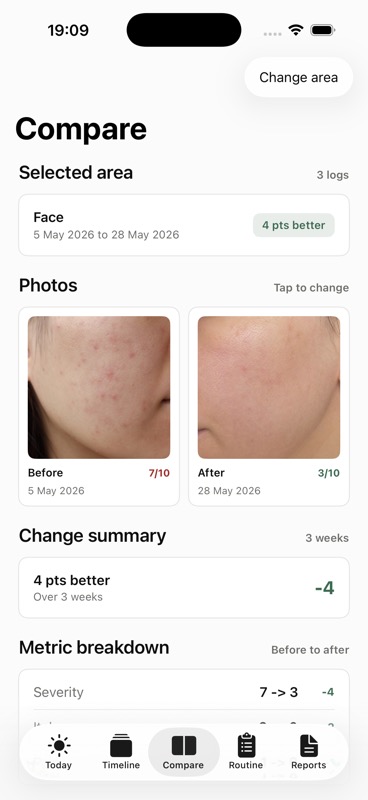
Compare acne changes without guessing from memory.
Log facial acne photos, severity, products used, and notes so you can see what changed across days, weeks, and routines.
Acne photos need context.
Camera-roll photos can show progress, but they rarely capture what products you used, when you started them, or how severe the breakout felt that day.
Keep acne photos organized by body area and concern instead of buried in your camera roll.
Record overall severity, redness, itch, pain, and notes on a simple 0 to 10 scale.
Record cleansers, moisturizers, SPF, prescriptions, or other products you already use.
How the journal works.
Log a photo. Add a quick acne entry with area, severity, symptoms, tags, and notes.
Compare the same area. Choose two Face entries and see dates, severity change, itch, and pain side by side.
Prepare for the visit. Export a chronological report with photos, severity trend, products used, and questions.
Made for appointment prep, not diagnosis.
Skinfile helps you explain what happened before you sit down with a dermatologist: when acne changed, which products were in use, and what notes you captured at the time.
Report can include
Related Skinfile pages.
Track what changed, when it changed, and what you tried.
Skinfile is a private photo journal and dermatologist visit report.